August 03, 2026 •
Rohit Negi •
insurance
Written by the Insure2Cover Content Team | Reviewed by Rohit Negi, Insurance Consultant, insure2cover.com | Last updated: August 2026
Quick Answer:
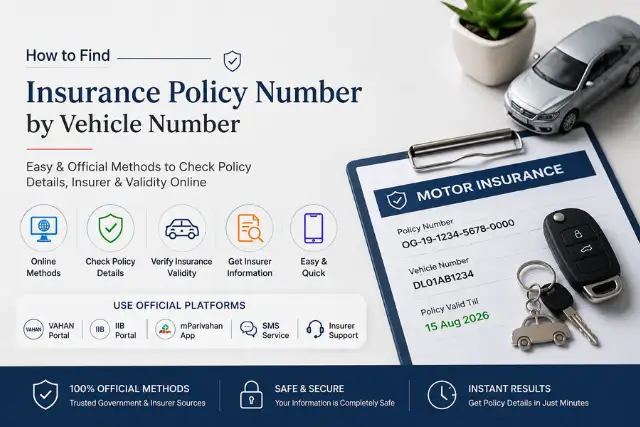
You can easily check your insurance policy number using vehicle registration number online at the insurance information portal like VAHAN, IIB, mParivahan App, VAHAN SMS Service or by calling the concerned insurance provider directly. To know the policy details of a car or bike, you just need to have a vehicle registration number online.
Have you misplaced your motor insurance policy document and need to find your policy number quickly? If you're wondering how to find an insurance policy number by vehicle number, the process is easier than you might think. With just your vehicle registration number, you can access important insurance information such as policy status, insurer details, and insurance validity through official government platforms.
Whether you want to check vehicle insurance details online by number, perform a registration number insurance search, or verify coverage before renewing your policy, several reliable methods are available in India. Using platforms like VAHAN, IIB, and mParivahan, you can retrieve vehicle insurance details by registration number without searching through old paperwork. If you're purchasing a used vehicle and don't have all the required details, you can also learn whether you can
get an insurance quote without a VIN before buying insurance.
In this guide, you'll learn how to find an insurance policy number by vehicle number, check insurance validity online, perform vehicle insurance verification, and access policy details for both cars and bikes in India.
Why Would You Need to Find Your Insurance Policy Number This Way?
There are a few common situations:
- You bought the vehicle second-hand and the previous owner's insurance details are unclear
- You lost your physical policy document and can't access the digital copy
- You need to check whether an active insurance policy exists for your vehicle
- You're trying to check the insurance validity before a long drive
Whatever the reason, your vehicle registration number is your starting point.
How to Find Insurance Policy Number by Vehicle Number Using VAHAN?
The VAHAN portal, maintained by the Ministry of Road Transport and Highways, is one of the easiest ways to check insurance validity online and complete vehicle insurance verification for any registered vehicle.
Steps:
- Visit the official VAHAN citizen service portal: vahan.parivahan.gov.in/vahanservice
- On the homepage, look for "Know Your Vehicle Details"
- Enter your vehicle registration number (e.g., DL01AB1234)
- Complete the captcha and click Search
- Your vehicle's registration details will appear — including the insurance validity date and in many cases, the insurer name
Note: The VAHAN portal may not always display the full policy number, but it does confirm whether your insurance is valid and which insurance company issued it. You can then contact that company directly for your policy number. You can also refer to the
official VAHAN Citizen Services portal for the latest vehicle information and online services.
Find Insurance Policy Number by Vehicle Number Through IIB
The Insurance Information Bureau of India (IIB) maintains a central database of motor insurance policies. This is the most direct way to find insurance policy details by vehicle number.
Steps:
- Go to iib.gov.in — the official website of the Insurance Information Bureau
- Click on "Motor" under the policy search section
- Enter your vehicle registration number
- You'll receive details about the active motor insurance policy linked to your vehicle, including the insurer's name and in some cases, policy number
The IIB database acts as a motor insurance policy lookup system that helps users find insurance information linked to their vehicle number.
VAHAN SMS Service
If you don't have access to the internet or prefer a quicker check, the VAHAN SMS service works well.
How to use it:
Send an SMS to 7738299899 in this format:
VAHAN
Example: VAHAN DL01AB1234
You'll receive a reply with basic vehicle details including insurance status. It won't give you the full policy number, but confirms whether a valid policy exists and who the insurer is.
Use of mParivahan App
The mParivahan app (available on Android and iOS) can also display insurance company details by vehicle number, making it easier to contact your insurer.
Steps:
- Download mParivahan from the Play Store or App Store
- Open the app and tap on "RC Status"
- Enter your vehicle registration number
- The app will show your vehicle's registration status along with insurance details
Contact Your Regional Transport Office (RTO)
Your local Regional Transport Office (RTO) maintains records of all registered vehicles in its jurisdiction, including insurance details.
What to do:
- Visit the RTO with your vehicle's RC (Registration Certificate) and your ID proof
- Request the insurance details linked to your vehicle number
- The RTO can confirm your insurer's name, and from there you can contact the insurance company directly
This method is particularly useful for finding previous insurance policy numbers — for example, when you've switched insurers and need to verify your No Claim Bonus (NCB) or claim bonus history. If you're unsure how NCB works, read our guide on What Does NCB in Auto Insurance Stand For?
Contact Your Insurance Company Directly
Once you know which insurance company issued the policy (from VAHAN or IIB), call their customer support and provide:
- Your vehicle registration number
- Your registered mobile number
- Your name as on the policy
They can pull up your policy details and either share your policy number or send it to your registered mobile number via SMS or email.
Most insurers like ICICI Lombard, IFFCO Tokio, and others have dedicated customer support lines for exactly this purpose. If you're an ICICI Prudential policyholder, here's how to access your ICICI Prudential Life Insurance Login portal to manage your policy online.
How to Find Previous Insurance Policy Number by Vehicle Number
If you're looking for an old or expired policy (for NCB transfer or claim history), the IIB portal is your best bet. It maintains historical policy records linked to each vehicle.
Alternatively, you can:
- Check your email inbox for old policy documents
- Log in using your mobile number on your insurer's app or website
- Ask your insurance agent for past records
Quick Summary Table
| Method |
What You Get |
Best For |
| VAHAN Portal |
Insurance validity + insurer name |
Checking active coverage |
| IIB Portal |
Policy details by vehicle number |
Finding policy number |
| VAHAN SMS (7738299899) |
Insurance status |
Quick check without internet |
| mParivahan App |
RC + insurance details |
On-the-go checks |
| RTO Visit |
Insurer name + registration details |
Previous policy history |
| Insurer Customer Support |
Full policy number |
Confirmed retrieval |
Tips Before You Search
- Always use the official website of VAHAN, IIB, or your insurer — not third-party aggregator sites
- Your vehicle registration number is different from your engine or chassis number — use the one on your number plate
- For bike insurance, the process is exactly the same as for cars
- If your insurance has expired, VAHAN will still show you the last known insurance details, which helps you identify your insurer. If you're planning to renew your policy, it's also useful to understand Return to Invoice (RTI) in car insurance before choosing your coverage.
Is It Safe to Check Insurance Details Online?
Yes. Checking insurance details through official government portals such as VAHAN and IIB, or directly through your insurance provider, is safe. Avoid entering your vehicle details on unknown third-party websites, especially if they ask for unnecessary personal or payment information.
Final Word
If you have a need to know how to find your insurance policy number using your vehicle number for such purposes such as claim registration, claim checking, policy renewal etc., there are various online and offline ways through which this can be done easily and conveniently. You can retrieve this info using VAHAN portal, IIB database, mParivahan app, SMS to your service provider, or by directly calling your insurer.
If you need information on checking insurance by vehicle number, how to get the vehicle's policy validity, and find your insurance provider details online, this information will help.
And if you're looking to compare or renew your motor insurance, insure2cover.com lets you do that quickly and transparently — no paperwork, no confusion, just the right coverage for your vehicle.
Things to Keep Ready Before Checking Insurance Details
- Vehicle registration number (RC number)
- Registered mobile number (if available)
- Registration Certificate (RC)
- Vehicle owner's name
- Internet connection (for online methods)
Frequently Asked Questions (FAQs)
Can I find my car insurance policy number using only my vehicle number?
Yes, you can. The IIB portal (iib.gov.in) allows you to search for insurance policy details using your vehicle registration number. The VAHAN portal also shows insurer details, after which you can contact the company to get your full policy number.
What is the VAHAN portal and how does it help with insurance checks?
VAHAN is the Ministry of Road Transport's official vehicle registration database. By entering your vehicle number on vahan.parivahan.gov.in, you can check your insurance validity, insurer name, and RC status instantly.
How do I find bike insurance policy number by vehicle number?
The process is the same as for cars. Use the VAHAN portal, IIB website, or the VAHAN SMS service (7738299899). Enter your bike's registration number and you'll get insurance-related details including the insurer name.
What is the IIB and how is it different from VAHAN?
The Insurance Information Bureau (IIB) is an IRDAI body that specifically tracks motor insurance policies in India. While VAHAN covers broader vehicle registration data, IIB is focused purely on insurance records — making it more useful for finding exact policy details.
Can I find insurance details for someone else's vehicle using their number plate?
You can check insurance validity and insurer name through VAHAN or IIB using any registration number. However, full policy details are typically only accessible to the registered owner through the insurer directly.
What if my vehicle's insurance doesn't show up on VAHAN?
This can happen if the insurer hasn't updated the policy data on the VAHAN portal yet (it can take a few days after a new policy is issued). Try checking through the IIB portal or contact your insurer directly.
Is the VAHAN SMS service free?
Standard SMS charges from your mobile operator apply, but there's no additional fee from the government side. You send the SMS to 7738299899 in the format: VAHAN [vehicle number].
I bought a used car. How do I find the previous insurance policy number?
Use the IIB portal with the vehicle's registration number. It shows historical policy data. You can also visit the RTO or contact the previous insurer if you know who it was — this is useful for transferring No Claim Bonus (NCB).
How can I check car insurance by number plate?
You can check car insurance by number plate using the VAHAN portal, mParivahan app, or IIB database by entering the vehicle registration number.
Can I do a bike insurance check online?
Yes, a bike insurance check online can be completed through VAHAN, IIB, or mParivahan using your bike's registration number.