October 07, 2026 •
Rohit Negi •
insurance
Written by the Insure2Cover Content Team | Reviewed by Rohit Negi, Insurance Consultant, insure2cover.com | Last updated: October 2026
Quick Answer
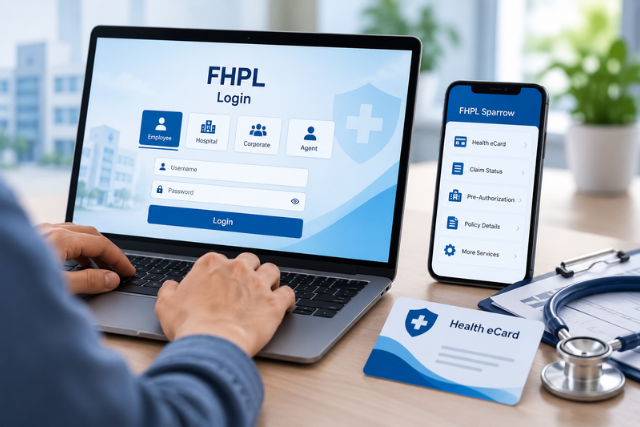
To log in to FHPL, visit www.fhpl.net, click the Login dropdown at the top-right, select your user type (Employee / Hospital / Corporate / Agent), enter your credentials, and click Login.
For the FHPL eCard login, go directly to www.fhpl.net/fhpllogins/ecard/login.aspx?type=ecard. Hospitals use the pre-auth portal at epreauth.fhpl.net. You can also download the FHPL Sparrow app on Android or iOS for access on the go.
Who Should Use Which Login?
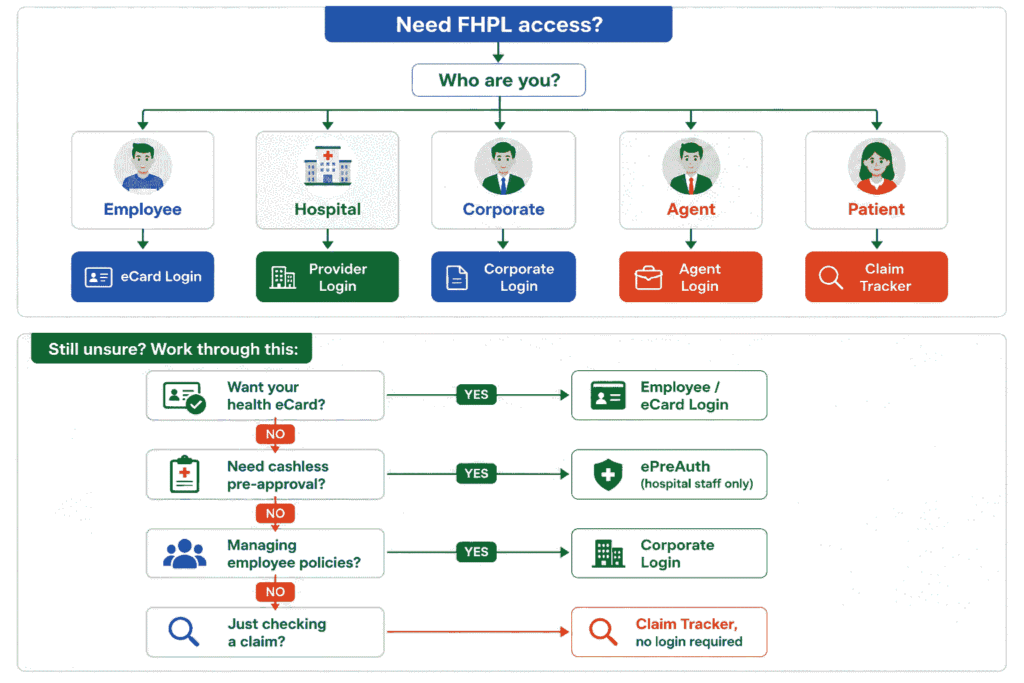
Most login failures happen because people pick the wrong portal. Find yourself here first:
| I am... |
Use this login |
| A corporate employee |
Employee / eCard Login |
| A hospital administrator |
Hospital / Provider Login |
| An HR or benefits manager |
Corporate Login |
| An insurance agent |
Agent Portal |
| A patient checking a claim |
Claim Tracker (no login needed) |
| A hospital TPA desk |
ePreAuth Portal |
| An employee on mobile |
Sparrow App |
Important: Never use the Hospital or ePreAuth portal unless you're an authorised hospital representative. Individual policyholders should use the Employee/eCard portal or the Claim Tracker. Attempting the wrong portal is the single most common cause of "unauthorised user" errors.
Find Your Portal: Decision Flow
Before You Start
Have these ready and the login takes seconds:
- Corporate ID (from your HR team)
- Employee ID / Username
- Password
- Registered mobile number (for OTP on Sparrow)
- Stable internet connection
- An updated browser
How Long Should Each Task Take?
| Task |
Typical time |
| Employee login |
~30 seconds |
| Download eCard |
~15 seconds |
| Check claim status |
~1 minute |
| Forgot password reset |
~2 minutes |
| Sparrow app OTP login |
~45 seconds |
| Submit a pre-auth request (hospital) |
5–10 minutes |
If a step is taking dramatically longer than this, it's usually a credential problem rather than a slow portal.
Browser Compatibility
Works best on:
- Google Chrome
- Microsoft Edge
- Safari
- Mozilla Firefox
Avoid: Internet Explorer (no longer supported)
Keep your browser updated. Older versions occasionally break the login form's OTP field.
What Is FHPL?
FHPL stands for Family Health Plan Insurance TPA Limited. It was incorporated in 1995 and became one of India's first IRDAI-licensed Third Party Administrators (TPAs) in 2002. A TPA sits between your insurance company and the hospital, handling claims, pre-authorisations, and cashless hospitalisations. If the role is new to you, our guide on what a TPA in health insurance does makes the rest of this page easier to follow.
| Portal |
Who uses it |
Main purpose |
Access |
| Employee / eCard |
Policyholders |
Health eCard, benefits |
fhpl.net eCard page |
| Hospital / Provider |
Network hospitals |
Claims & approvals |
fhpl.net → Hospital |
| Corporate |
HR teams |
Employee policy management |
fhpl.net → Corporate |
| Agent |
Insurance agents |
Client servicing |
fhpl.net → Agent |
| ePreAuth |
Hospital TPA desks |
Cashless approval requests |
http://epreauth.fhpl.net/ |
| Sparrow App |
Employees |
Mobile access to everything |
Android & iOS |
What sets FHPL apart in India's TPA landscape:
- Presence across 25+ states and 55+ service locations
- Access to 7,000+ network hospitals nationwide
- Serves individual policyholders, corporate employees, and government health scheme beneficiaries
- Among the earliest Indian TPAs to offer mobile access, through FHPL Sparrow
- Certified under ISO quality and information security standards
All FHPL Login Types ComparedFHPL Employee Login (eCard Login)
This is the most searched FHPL login by a wide margin. If your employer uses FHPL as their health insurance TPA, this is how you reach your digital eCard, policy details, and benefit information.
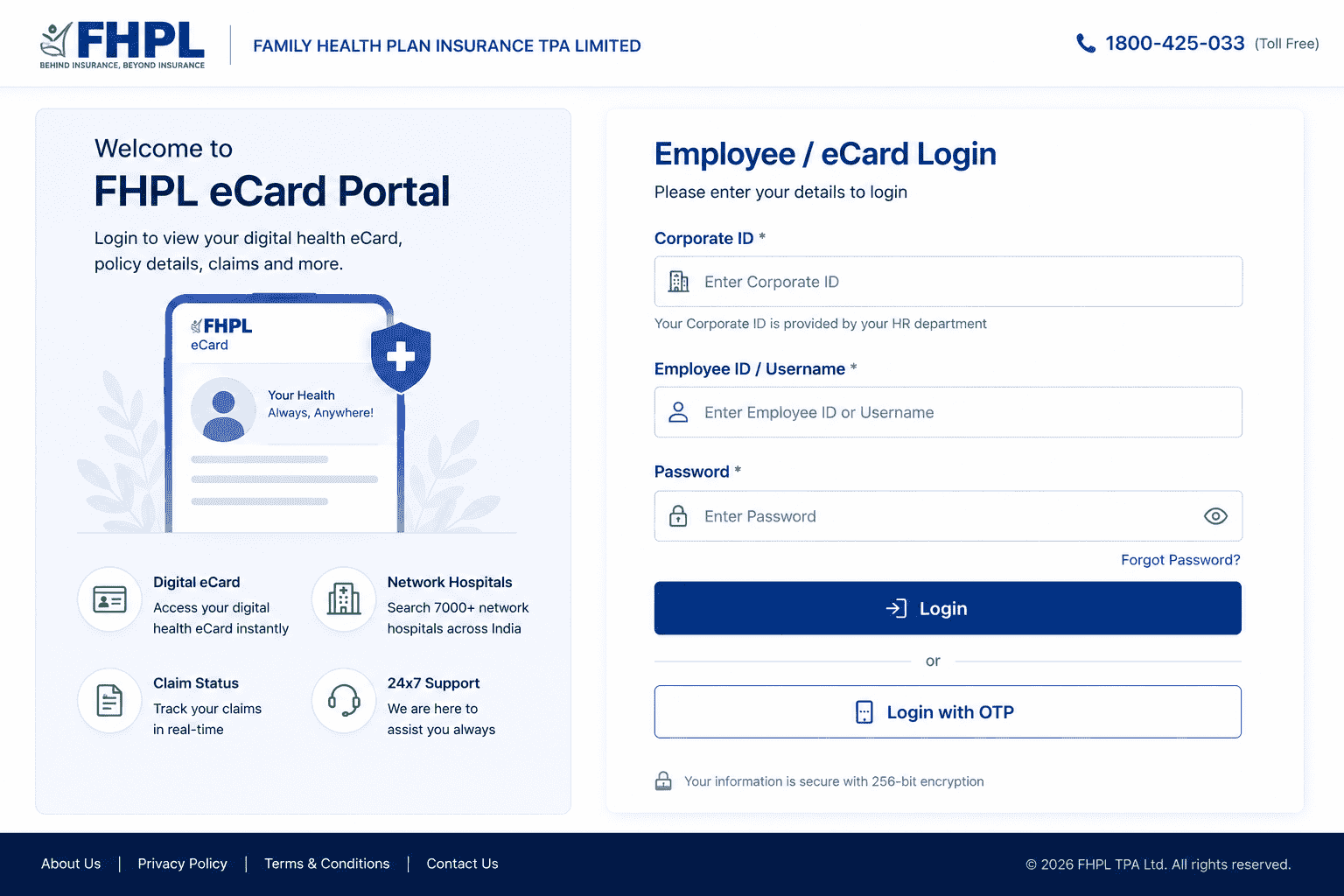
- Go to the eCard login page - www.fhpl.net/fhpllogins/ecard/login.aspx?type=ecard, or visit www.fhpl.net and click Login → Employee/eCard.
- Enter your Corporate ID - A unique identifier assigned to your employer by FHPL. Your HR team shares this during onboarding.
- Enter your Employee ID / Username and Password - Issued by FHPL at policy enrollment. First-time user? Check with HR.
- Click Login - You'll land on your dashboard with your eCard, sum insured, network hospitals, and dependent details.
Can't find your credentials? Your Corporate ID, username, and password come from FHPL at policy enrollment, usually routed through HR. If you never received them, email info@fhpl.net or call 1800-425-033 (toll-free).
What Can You Do After Logging In?
| Feature |
Employee |
Hospital |
Corporate |
| Download health eCard |
YES |
NO |
NO |
| Check claim status |
YES |
YES |
YES |
| Search network hospitals |
YES |
NO |
YES |
| View dependent details |
YES |
NO |
YES |
| Download claim forms |
YES |
YES |
YES |
| Submit cashless request |
NO |
YES |
NO |
| Manage employee roster |
NO |
NO |
YES |
| Access MIS reports |
NO |
NO |
YES |
If you want to understand how FHPL fits into employer-sponsored coverage and family healthcare administration, you can also learn more about
Family Health Plan Insurance TPA Ltd.
Can You Log In Without...?
Your Corporate ID?
No. The Corporate ID is mandatory for employee login. If you've lost it, your HR team can reissue it — FHPL assigns it to your employer, not to you individually.
An OTP?
On the web portal, yes — it uses password authentication. The Sparrow app offers OTP login as the default, but also supports credential-based login.
Your Employee ID?
No. It's your unique identifier within your employer's policy. HR can retrieve it.
Internet access?
No. All FHPL portals and the Sparrow app require a connection. Download your eCard in advance if you're travelling somewhere with poor coverage.
Being a current employee?
Access typically ends when your employment (and therefore the group policy) ends. Download your records before your last working day.
FHPL Hospital Provider Login
Hospital administrators and TPA desk executives use this portal to manage cashless claims, pre-authorisation statuses, and patient admission data.
- Visit www.fhpl.net and click Login in the top navigation.
- Select "Hospital / Provider" from the dropdown.
- Enter your Hospital Provider ID and Password — issued when your hospital was empanelled into the FHPL network.
- Access the dashboard to view patient claim details, check pre-auth status, and raise cashless requests.
FHPL Pre-Auth Login (ePreAuth Portal)
The ePreAuth portal exists solely for hospitals submitting cashless pre-authorisation requests digitally. It replaced the older fax-and-email system with a real-time web application.
- URL: epreauth.fhpl.net
- Who uses it: Hospital TPA desks and admission teams
- What it does: Submit new pre-auth requests, check approval status, upload documents, receive real-time decisions
- Why it matters: Faster turnaround than email or fax
Note for patients: ePreAuth is for hospitals only. If you need cashless hospitalisation, contact the hospital's TPA desk — they submit on your behalf. Approvals are regulated under IRDAI health insurance guidelines. If you're weighing options, our guide on reimbursement vs cashless claims explains the difference.
FHPL Corporate Login
HR managers and corporate admins use this to manage employee group health insurance — adding or removing employees, viewing policy documents, and generating reports.
- Visit www.fhpl.net and open the Login dropdown.
- Select "Corporate."
- Enter your Corporate Login ID and Password, assigned by FHPL at policy inception.
- Manage employee data — endorsements, rosters, claim MIS reports, and communication with your FHPL account manager.
FHPL Sparrow App: The Faster Route
Plenty of users don't realise FHPL has a dedicated mobile app, so they keep returning to the web login. FHPL Sparrow (officially FHPL Mobile Sparrow) covers most of what the portal does, from your phone, around the clock.
FHPL was among the first Indian TPAs to launch a policyholder app, back in FY 2013–14. What Sparrow handles today:
- Digital health eCard, always on your phone
- Network hospital search near your location
- Real-time claim status tracking
- Cashless hospitalisation initiation
- Home healthcare service booking
- Doctor appointment booking
- Claim form submission and tracking
- WhatsApp bot for instant support
How to log in:
- Download the app - search "Fhpl Sparrow" on Google Play or "FHPL Sparrow" on the App Store. Free.
- Tap Login - You'll see OTP-based and credential-based options.
- Enter your registered mobile number or Employee ID - OTP is quickest.
- Access your dashboard - eCard, claim history, hospital list, wellness features.
WhatsApp support: Send "Hi" to 9154039276 for instant claim status and eCard access. Runs 24×7, no login needed.
How to Check FHPL Claim Status?
Claim status is one of the top reasons people hit the login page — though you often don't need to log in at all. Understanding the broader health insurance claim process helps set expectations on timelines.
Method 1 - Website claim tracker (no login):
- Visit www.fhpl.net/#/claim_tracking
- Select your insurance company from the dropdown
- Enter your Claim Number or UHID plus the date of hospitalisation, then Submit
Method 2 - Sparrow app:
Log in → tap "Claim Status" → view active and past claims.
Method 3 - WhatsApp chatbot:
Send "Hi" to 9154039276, then your claim number.
For unresolved disputes, escalate through the Insurance Ombudsman framework.
Can Family Members Log In?
No. Login credentials belong to the employee. Your spouse, children, or parents can't create separate accounts.
Dependents appear inside the employee dashboard — you'll see their names, sum insured allocation, and eligibility there. If a dependent needs their eCard at a hospital, download it from your own login and share it.
This is worth checking after every renewal, since additions and deletions don't always carry over cleanly. Our guide on
which health insurance is best for family in India also explains important factors to consider when choosing family health insurance and dependent coverage.
Common Error Messages, Decoded
| Error message |
What it means |
| Invalid Credentials |
Wrong ID or password - check for typos and autofill |
| Session Expired |
You were idle too long; log in again |
| OTP Expired |
Request a fresh code rather than reusing the old one |
| Corporate ID Not Found |
ID is wrong or outdated — contact HR |
| Unauthorised User |
You're on the wrong portal for your user type |
| Account Locked |
Too many failed attempts; wait or call support |
| Policy Not Active |
Coverage may have lapsed or not yet started |
Common Login Problems & Solutions
| Problem |
Solution |
| OTP not received |
Wait 60 seconds, then resend; check network signal |
| Password incorrect |
Use "Forgot Password" to reset via registered email or mobile |
| Corporate ID missing |
Contact HR - FHPL routes it through your employer |
| Claim not showing |
Verify the policy is active and the claim number is correct |
| Browser error |
Clear cache or switch browsers |
| Never received credentials |
Email info@fhpl.net or call 1800-425-033 |
| Login page won't load |
Try the Sparrow app instead |
Common FHPL Login Mistakes
- Using Corporate Login instead of Employee Login. Employees need the eCard portal, not the HR portal.
- Entering an old Corporate ID after a policy renewal or employer change.
- Entering your insurance policy number where the Employee ID belongs.
- Trying the hospital login as a patient. ePreAuth is closed to individuals.
- Browser autofill inserting an old password — clear it and type manually.
- Assuming you need to log in to check claim status. The tracker works without one.
Forgot Password or Locked Out?
- Forgot Password: Click the link on the login page, then follow the prompts using your registered email or mobile.
- First-time login, no credentials: Contact HR or the FHPL helpline.
- Customer care: 1800-425-033 (toll-free, business hours)
- Email: info@fhpl.net
- HDFC Bank employees: Credentials come from HDFC's HR team — separate from standard FHPL accounts.
- SBI retired employees: Credentials come through SBI's HR or pension department.
Security Tips
Health portals hold sensitive medical and personal data, so a few habits matter:
- Never share your OTP or password, including with callers claiming to be from FHPL or HR
- Always use the official website (fhpl.net) or official app — type the address yourself
- Log out after every session, especially on shared or office computers
- Avoid public Wi-Fi when accessing claims or medical records
- Watch for phishing emails mimicking FHPL branding; check the sender domain
- Check for the padlock (HTTPS) before entering credentials
Advantages & Limitations
Advantages
- 24×7 access to eCard and claim status
- Instant digital eCard download
- Claim tracking across three channels
- Network hospital locator
- Mobile app with OTP login
- WhatsApp support with no login required
Limitations
- Some employers disable self-registration — credentials must come through HR
- Hospital-only features require provider credentials
- ePreAuth unavailable to individual policyholders
- Corporate ID depends on your employer's active policy
- Feature availability varies by employer plan
- Access typically ends with employment
Expert Tips
- Download your eCard before you need it — hospital admission is a bad time to discover a login problem.
- Save your Corporate ID separately from your password, somewhere reachable without the portal.
- Verify dependent details after every renewal.
- Keep your registered mobile current, since Sparrow's OTP depends on it.
- Use the WhatsApp bot for quick claim checks rather than logging in each time.
- Note your claim number the moment a claim is raised — every tracking method asks for it.
- Check your waiting period status before planning a non-emergency procedure.
Conclusion
FHPL runs separate portals for employees, hospitals, corporate administrators, and agents and picking the right one solves most login trouble before it starts. Employees want the eCard login, hospitals want the provider portal or ePreAuth, HR teams want corporate access. If you only need a claim status, the tracker and WhatsApp bot skip the login entirely.
For day-to-day use, the Sparrow app handles nearly everything the web portal does, with a simpler OTP login.
Sources:
FHPL Official Website
FHPL Sparrow App (
Google Play,
App Store)
IRDAI Health insurance regulations
Frequently Asked Questions
1. I forgot my FHPL login credentials. What should I do?
Use "Forgot Password" on the login page, or contact HR if your account was created through an employer plan.
2. Can I access my FHPL eCard on my phone?
Yes. The Sparrow app lets you view and download your digital eCard directly.
3. Who should use the pre-authorisation portal?
ePreAuth is for hospitals and TPA desks submitting cashless requests on behalf of patients.
4. Why can't I log in to my account?
Usually incorrect credentials, an inactive account, a browser issue, or missing enrollment details. Check the error-message table above.
5. How do I check claim status without logging in?
Visit www.fhpl.net/#/claim_tracking and enter your claim number and hospitalisation date, or WhatsApp "Hi" to 9154039276.
6. What is the FHPL customer care number?
1800-425-033 (toll-free). Also info@fhpl.net or the WhatsApp bot on 9154039276.
7. I'm an HDFC Bank employee — how do I log in?
Use the standard employee login at www.fhpl.net. Your Corporate ID comes from HDFC's HR department.
8. Where do I find my Corporate ID?
FHPL assigns it to your employer and shares it during onboarding. Your HR team has it.
9. Can my spouse log in separately?
No. Credentials belong to the employee; dependents appear inside your dashboard.
10. Can I register myself if HR hasn't given me credentials?
Usually no. Most employer plans route credentials through HR.
11. Is the Sparrow app free?
Yes, on both Google Play and the App Store.
12. Does my access end when I leave the company?
Typically yes, since coverage is tied to the group policy. Download your records before your last day.
Disclaimer:
Login URLs and portal features are based on publicly available information as of October 2026. For current access details, refer to www.fhpl.net or contact FHPL customer care. Insure2Cover is not affiliated with Family Health Plan Insurance TPA Limited.